
Are you worried about your online privacy? Don’t worry, we’ve got you covered! This guide will show you how to clear your cookies and protect your privacy with just a few simple steps. Keep reading to find out how you can keep your personal data safe and secure!
In this article, we will describe how to clear all cookies in your browser and access privacy settings. The browsers we will cover are:
- Microsoft Edge
- Firefox
- Safari
- Chrome
Clear Your Cookies in Microsoft Edge
Clearing cookies:
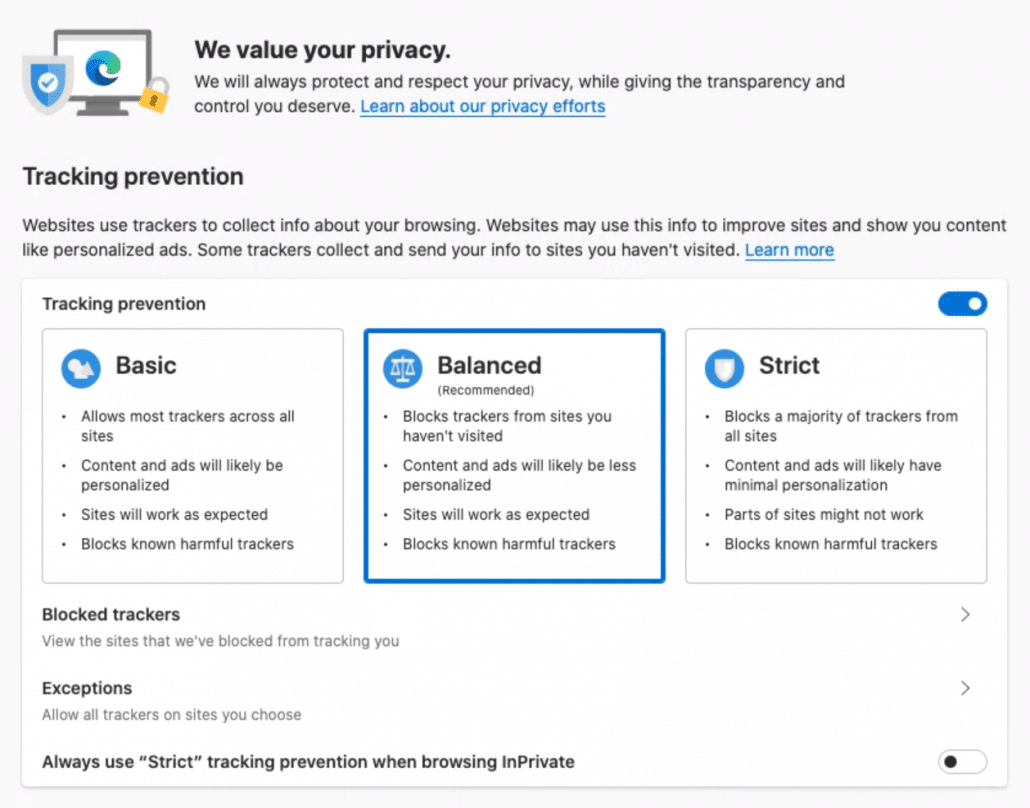
Add: edge://settings/privacy to your address bar and hit enter. You will see below privacy hub.
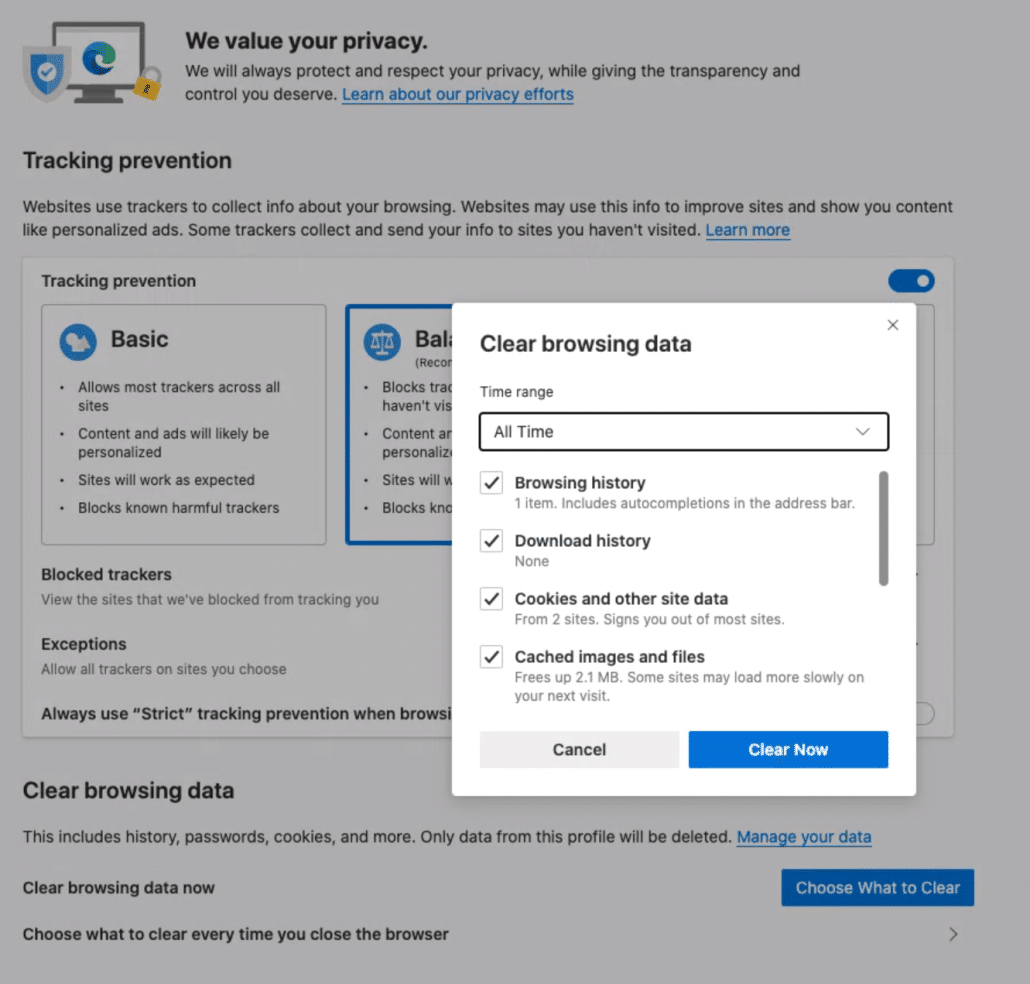
Go to Clear browsing data > Clear browsing data now > Choose what to clear. For best results, we suggest clearing all-time cookies and other site data. If needed, you can clear all data. Please remember some cache will be deleted, therefore you need to log in again. Maybe a good time to check how strong your password actually is!
Firefox
Clearing cookies:
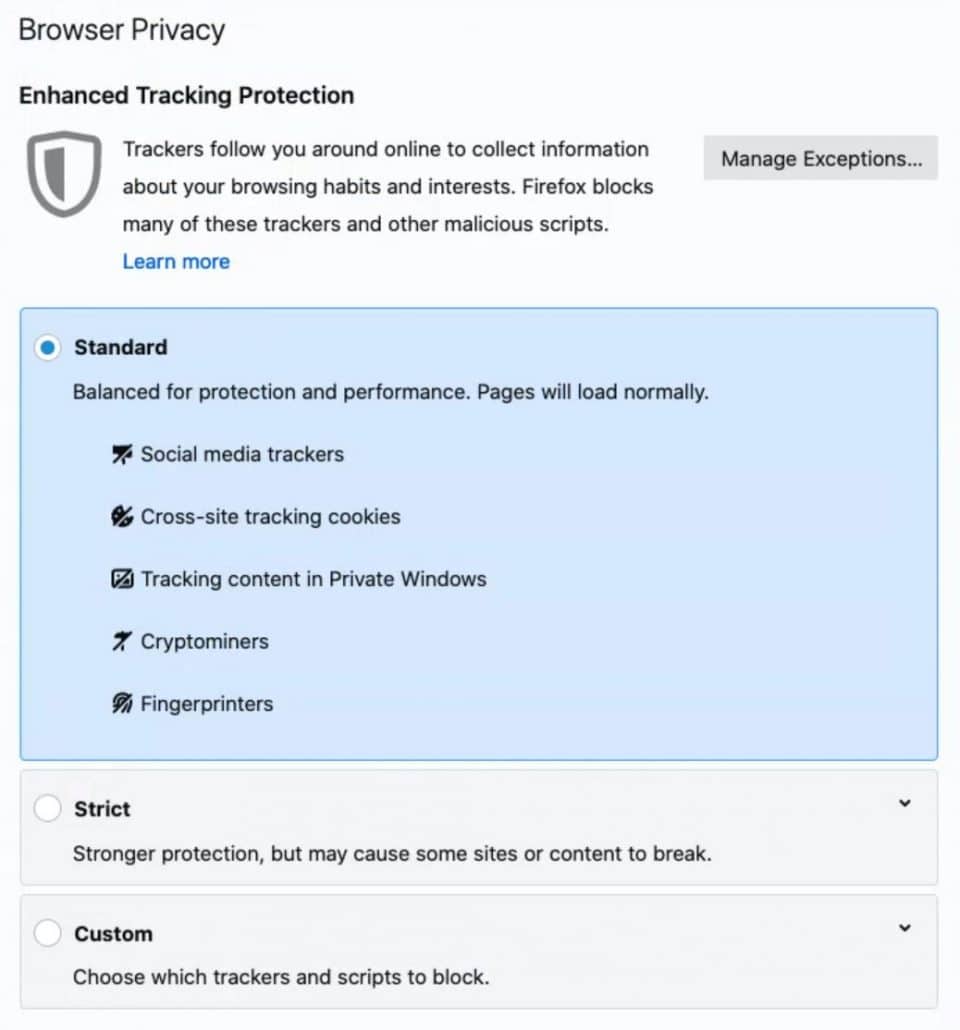
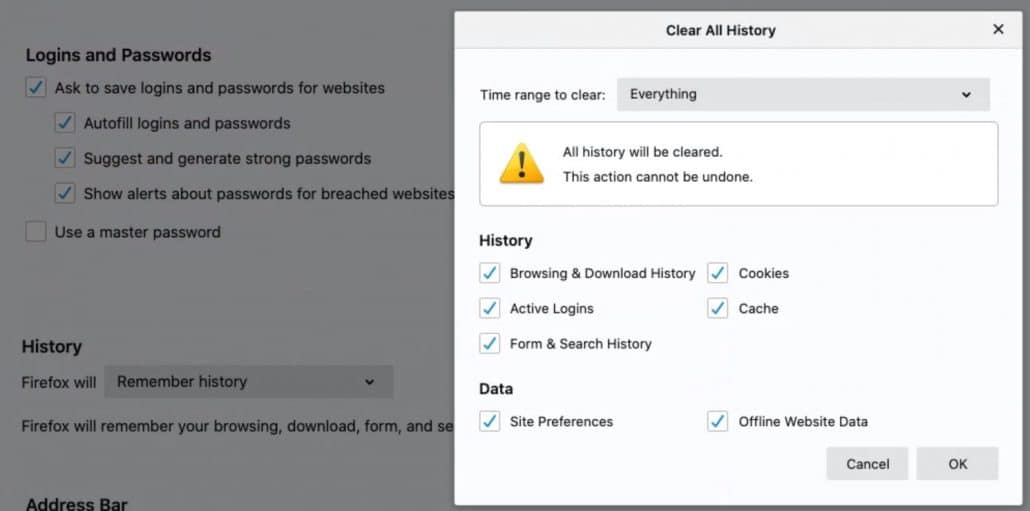
Add: about: preferences#privacy to your address bar and hit enter. You will see below privacy hub.
Go to History > Clear history… For best results, we suggest clearing all-time cookies and other site data. If needed, you can clear all data. Please remember some cache will be deleted, therefore you need to log in again. Maybe a good time to check how strong your password actually is!
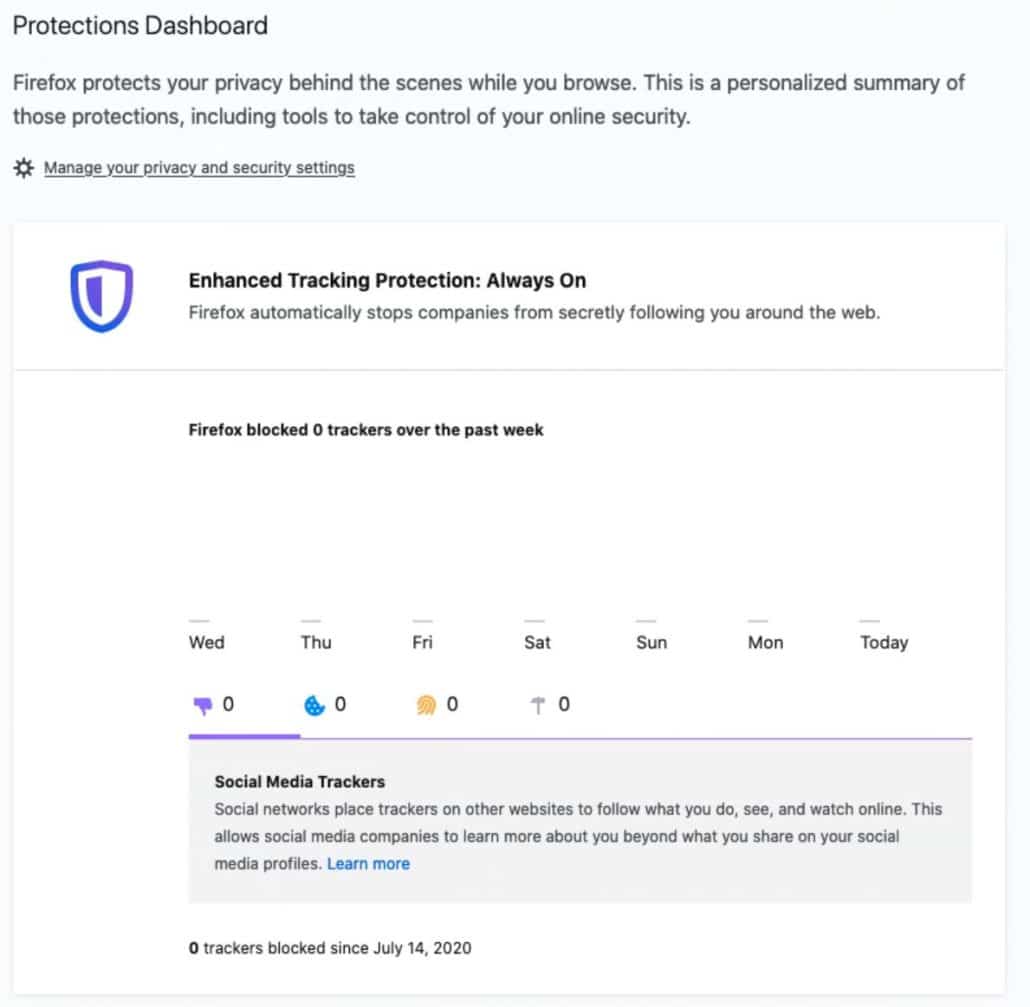
As a bonus you can add about: protections to your dashboard to see Firefox’s privacy in action.
Safari
Clearing cookies:
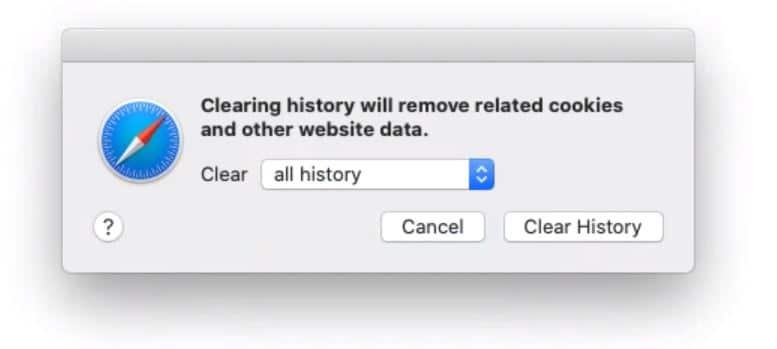
Go to the top toolbar and search for Safari > Clear history…
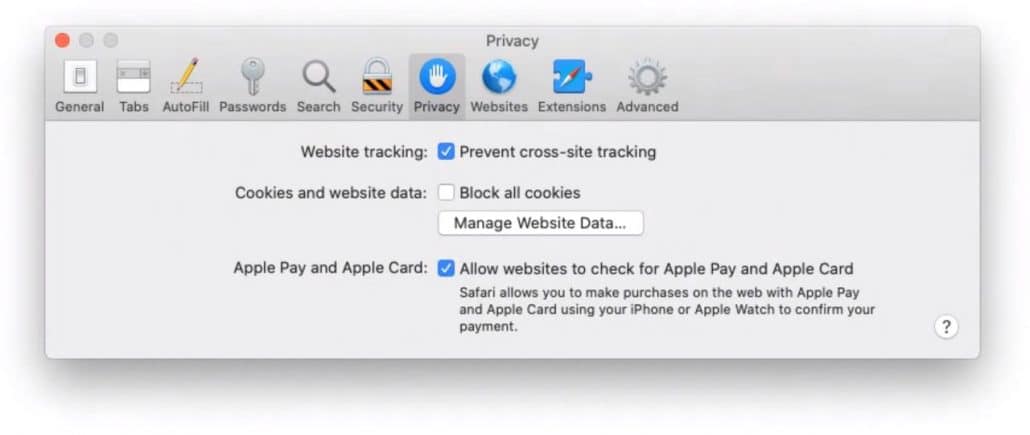
Go to Safari > Preferences > Privacy to find the privacy settings of Safari. Understand that blocking all cookies might break websites. So if something happens, you know where to look.
Chrome
Clearing cookies:
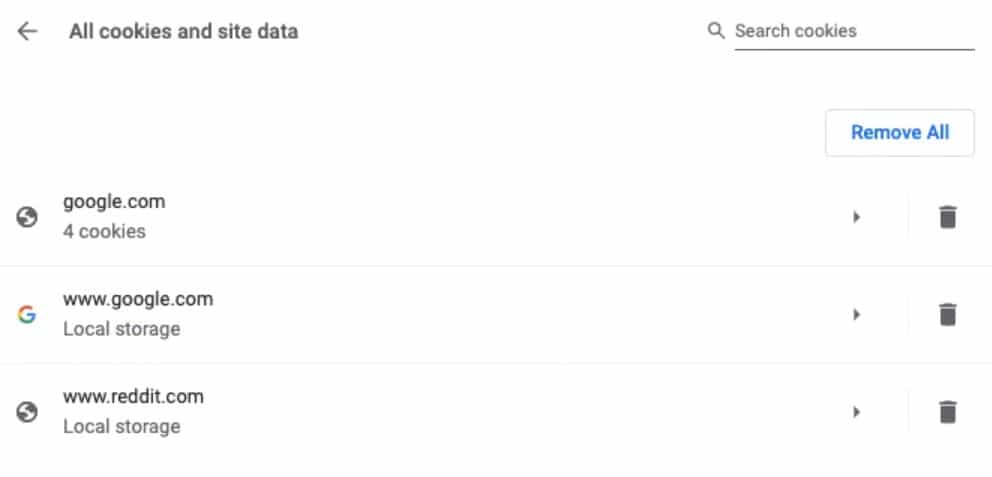
Add: chrome://settings/cookies to your address bar and hit enter. You will see below settings.
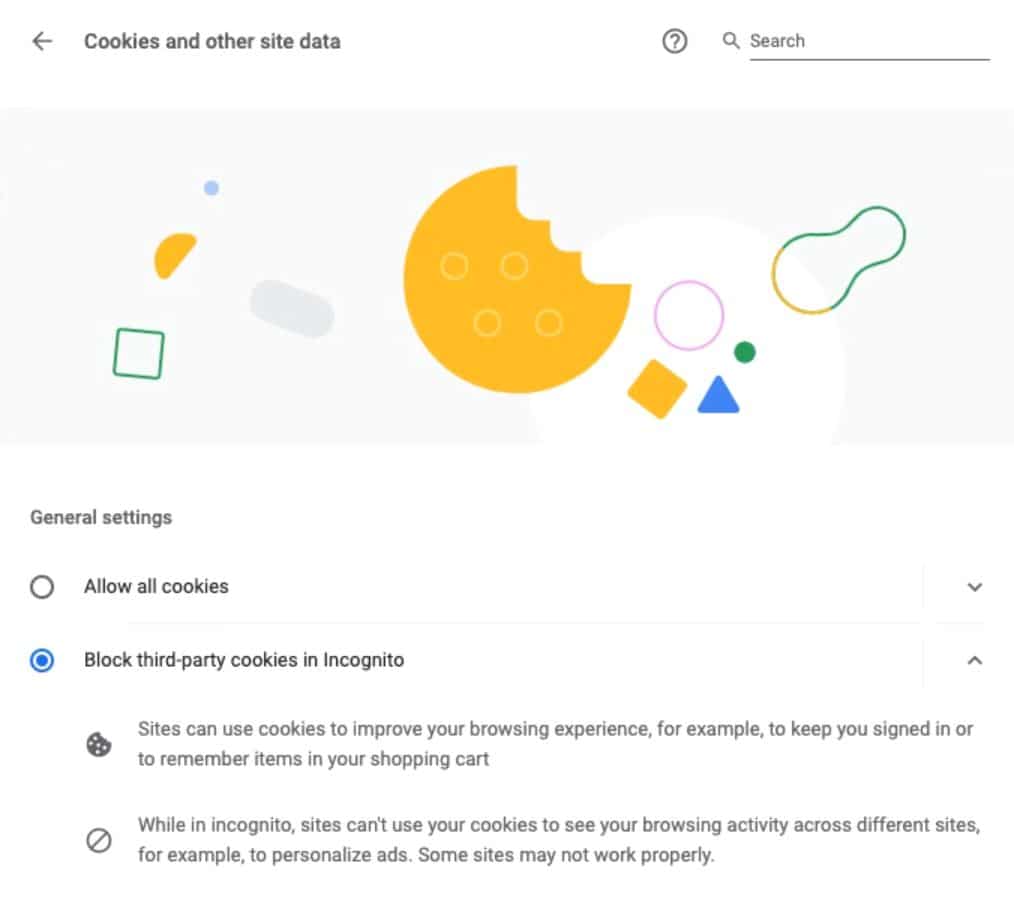
Go to See all cookies and site data > Remove all For best results, we suggest clearing all-time cookies and other site data. If needed, you can clear all data. Please remember some cache will be deleted, therefore you need to log in again. Maybe a good time to check how strong your password actually is!